
Register For Apprenticeship
Step 1: Go to MyATC
Go to MyATC: MyATC Login - Apprenticeship Services Portal

Step 2: Log in or Register
After registering, you'll be redirected to Services Saskatchewan. Sign in or create a Services Saskatchewan account.

Step 3: Link MyATC
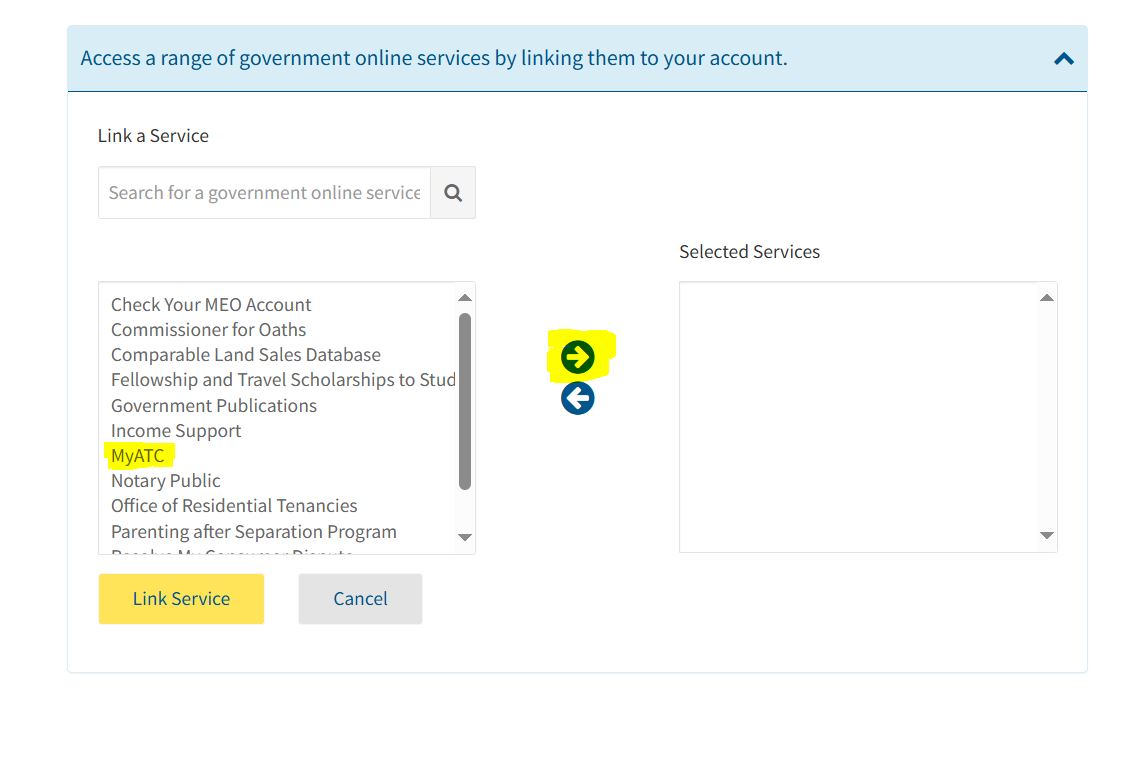
Once logged in, scroll down to find ‘Link a Service.’ In the left window, locate ‘MyATC’ and use the arrow to move it to the ‘Selected Services’ window on the right. Click ‘Link Service.’
Step 4: Activate MyATC
Now that it's linked, MyATC becomes an available service. To use, click ‘Use Service.’

Step 5: Initial Access
If this is your first time accessing MyATC, complete the 4 steps to apply.

Step 6: View MyATC
After completing the 4 steps, you'll be taken to the tasks screen. Click ‘View MyATC.’

Step 7: Apprenticeship Application
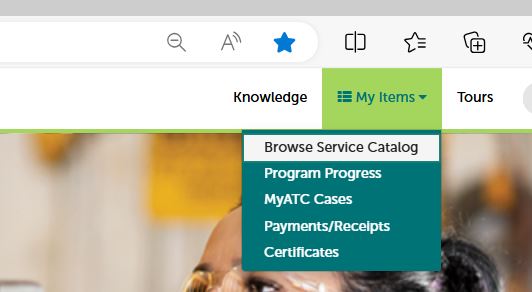
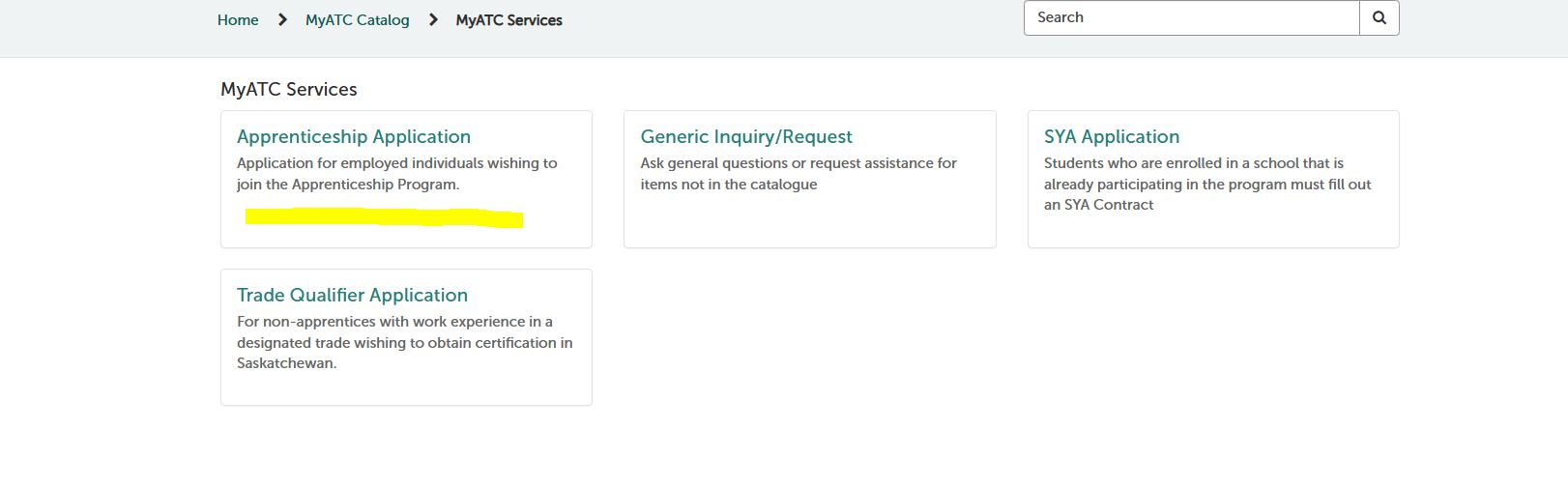
On the MyATC menu bar, navigate to ‘My Items’ → ‘Browse Service Catalog.’ Click ‘Apprenticeship Application’ and fill out the required fields.
Step 8: Company/Employer
- Employer Field: To avoid delays in your application, you must list Sheet Metal Workers Local 296 – Regina in the Company/Employer field.

Step 9: Application Fee
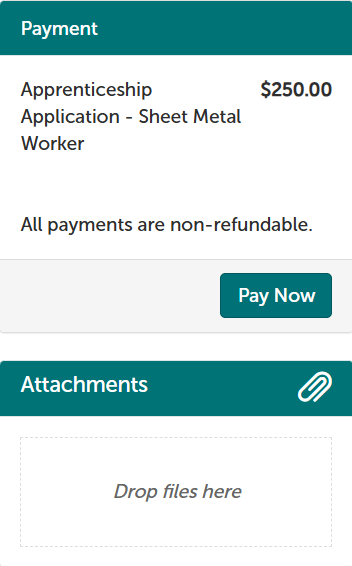
- Application fee: This will be paid by the Local 296 JATC once your application is complete and approved by the SATCC.
Step 10: Transcript
- Visit Transcripts | Government of Saskatchewan
- Submitting the Transcript: If you did not attach your transcript to your application, you can email it to training@local296.ca or share it through MyCreds by entering training@local296.ca as the recipient.